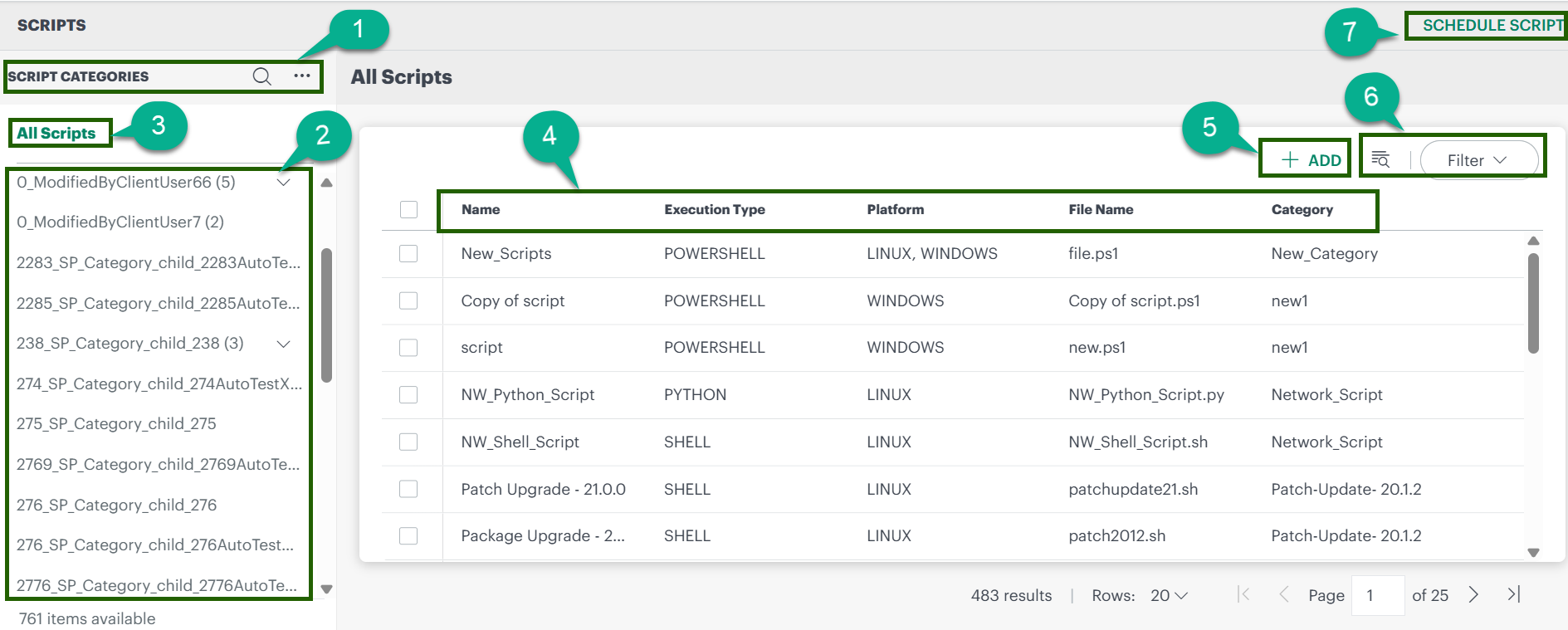
Scripts Dashboard page provides a list of all categories and scripts. From this page, you can manage the categories and scripts. The sections below explain the key elements on the page.
| Annotation | Description |
|---|---|
| 1 | Category panel: create a category, search categories, and expand/collapse the category list. |
| 2 | List of all created categories. |
| 3 | Select to view scripts for all categories/sub-categories (and, if applicable, filter by user type). |
| 4 | Script details including Name, Execution Type, Platform, File Name, and Category. |
| 5 | Use this option to create a new script. |
| 6 | Filter or search scripts to find the required script. |
| 7 | Go to the Scheduled Scripts page to view all scheduled scripts. |
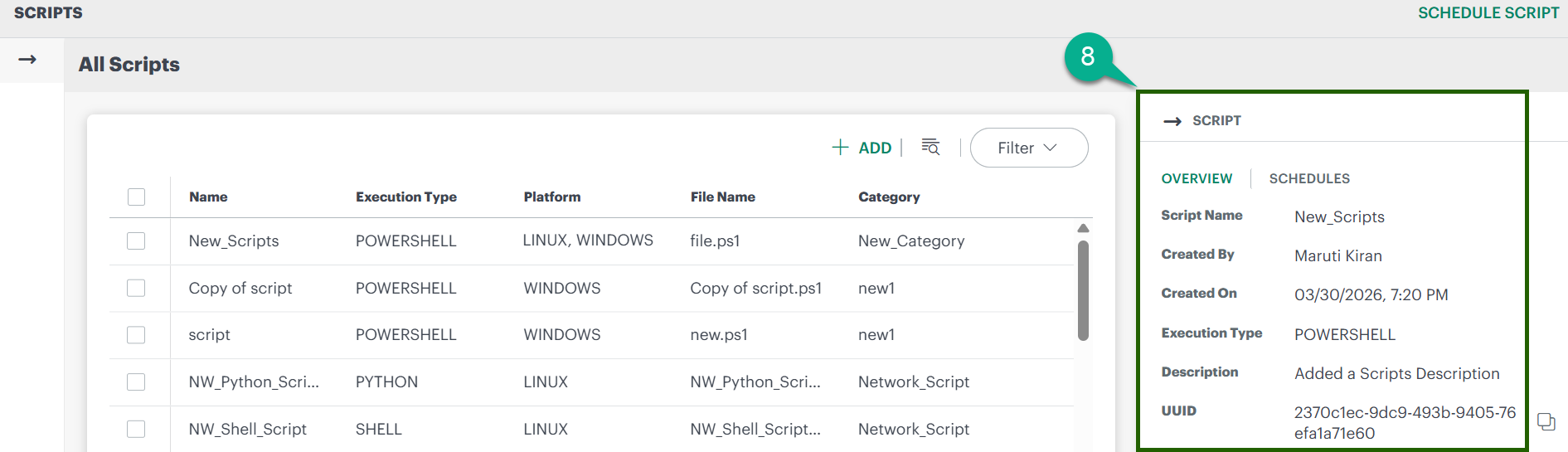
| 8 | When you click on a script, this section displays script details and scheduling information. |