Overview
Defines how components (instances) are selected for monitoring.
All instances of this component
Monitors all component OIDs by default. This option collects data from all available instances without any filtering.

Automatic Instance Selection
Automatically select instances based on the below-mentioned rules
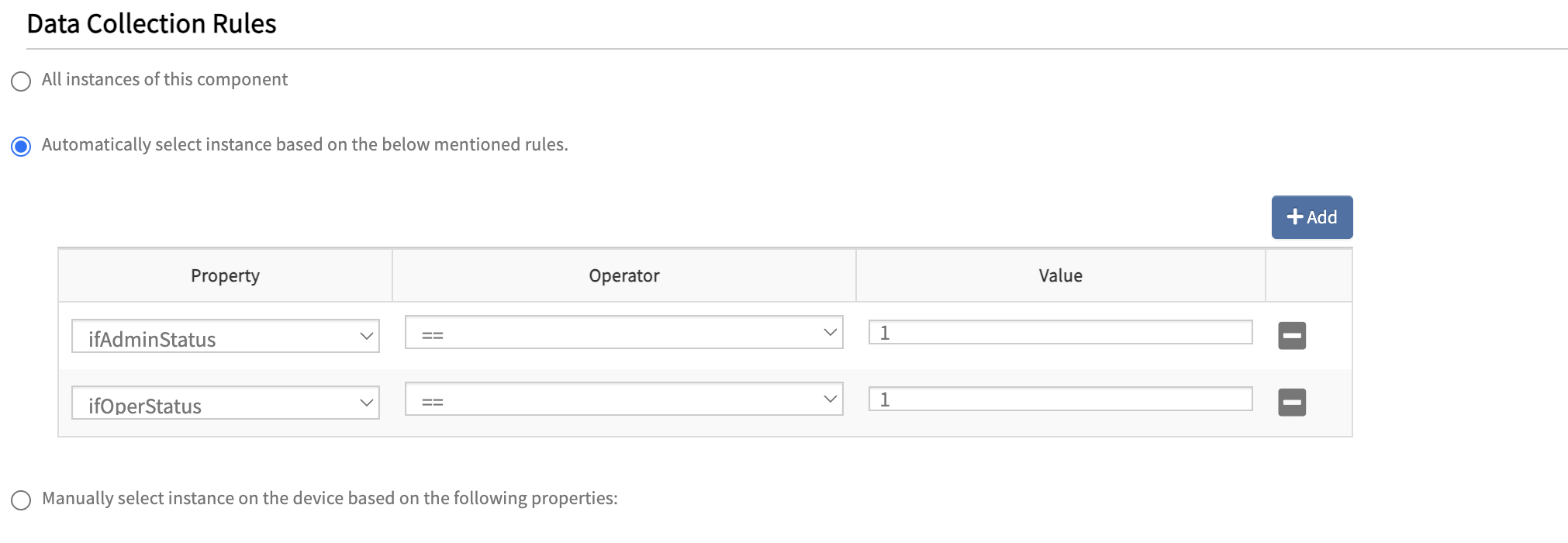
Allows filtering of components based on conditions defined using Additional Properties.You can select a property, apply an operator, and provide a value to monitor only specific components.
Usecases
Use Case 1: Monitor interfaces with admin and operational status up
If the requirement is to monitor only the interfaces that are administratively up and operationally up, you can achieve this using Additional Properties and Data Collection Rules.
Define Additional Properties for:
ifAdminStatusifOperStatus

In Data Collection Rules:
- Select Automatically select instances based on the following rules
- Apply conditions:
ifAdminStatus = 1ifOperStatus = 1
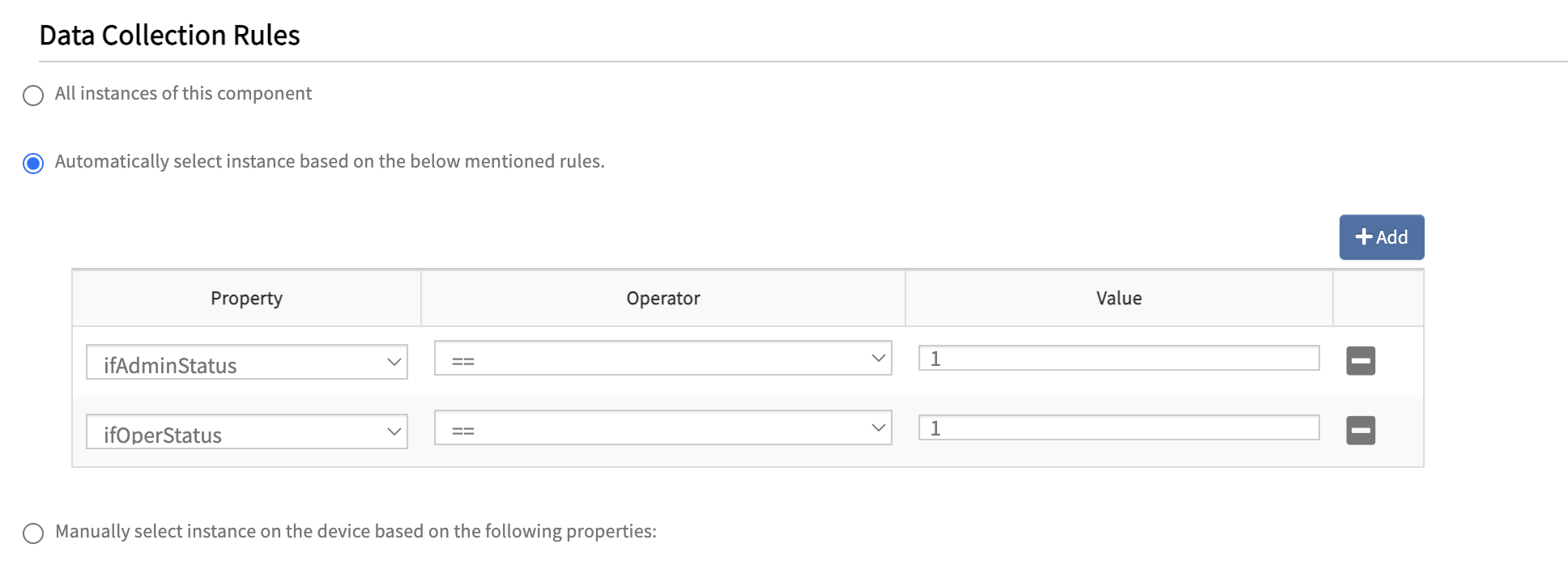
Only interfaces that are both administratively up and operationally up will be monitored.
Use Case 2: Monitor fixed disk storage only
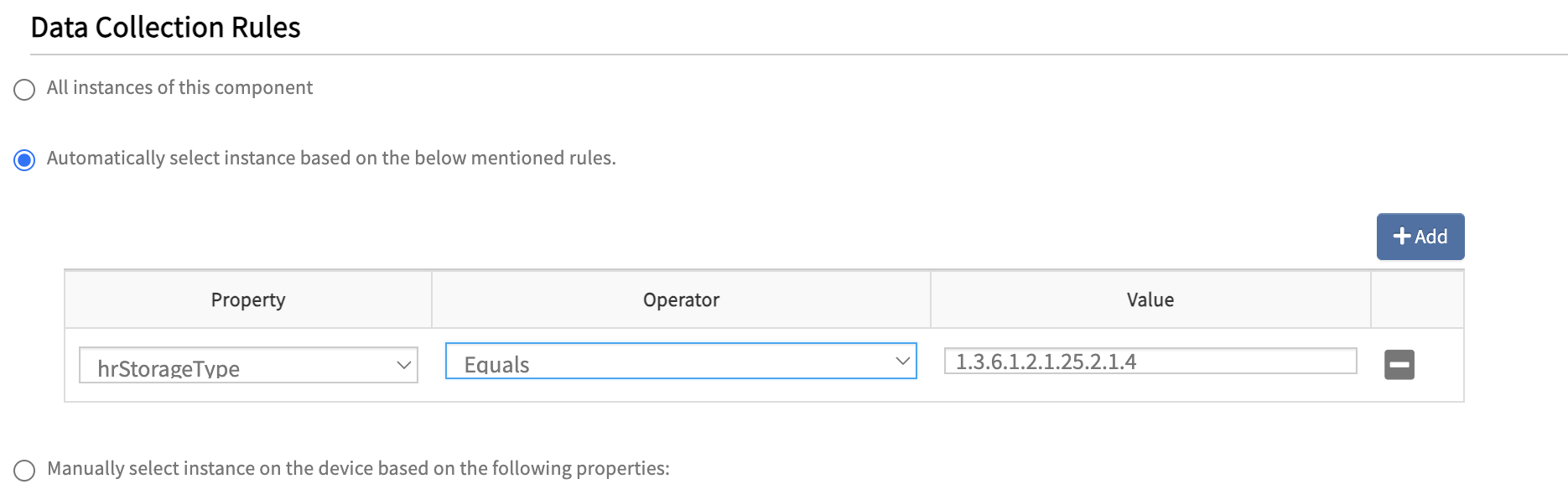
If the requirement is to monitor only fixed disk storage, you can filter using hrStorageType.
Define Additional Property:
hrStorageType

In Data Collection Rules:
- Select Automatically select instances based on the following rules.
- Apply condition:
hrStorageType = 1.3.6.1.2.1.25.2.1.4 (hrStorageFixedDisk)
Only storage components of type fixed disk will be monitored.
Manual selection of instances
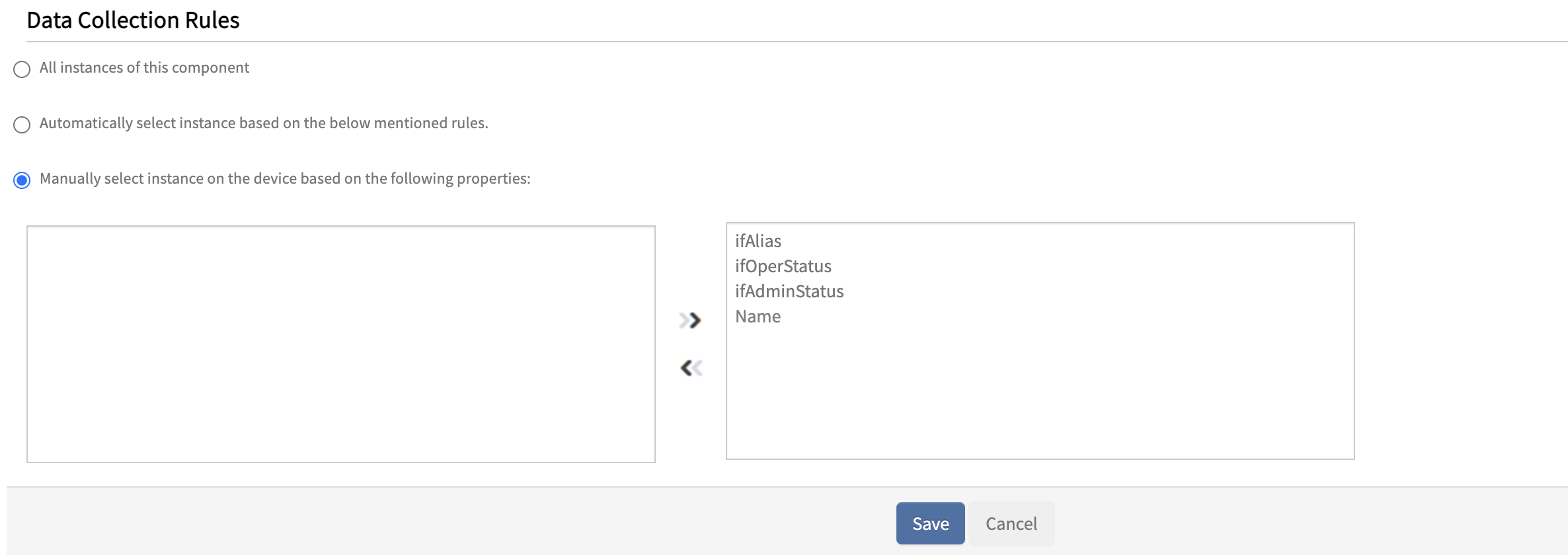
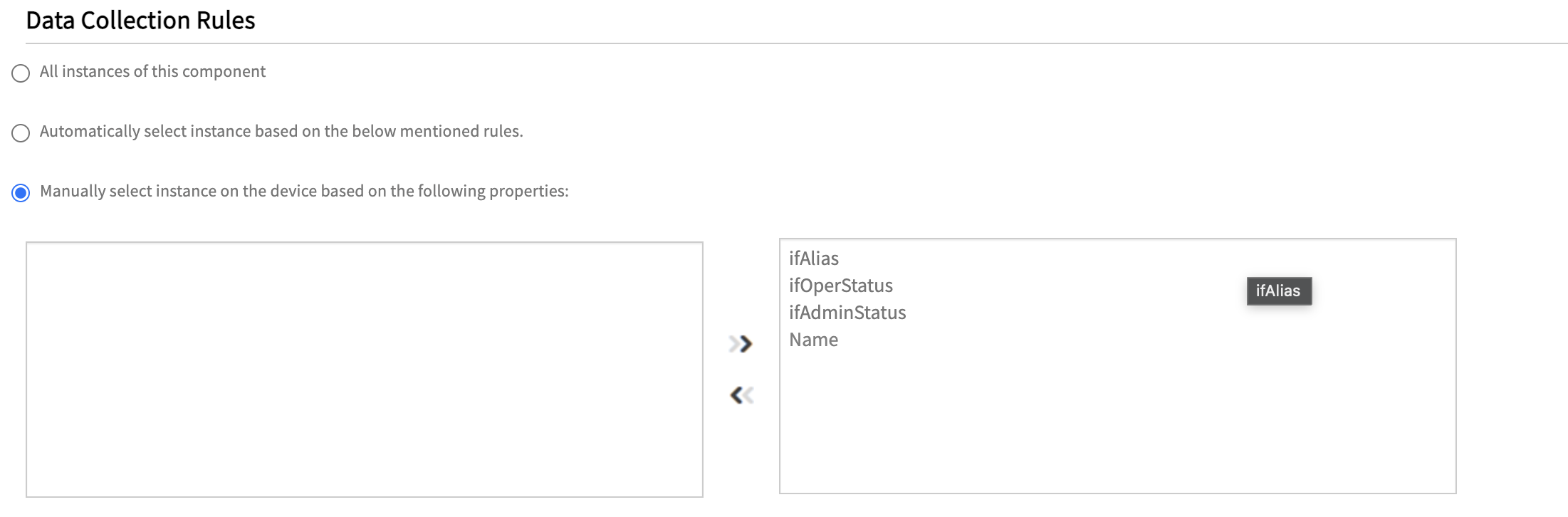
Allows manual selection of specific components from the list of available instances. These components are derived from Additional Properties and can be selected while assigning the template to a resource, providing granular control over monitored components.
Manual instance selection
Use Case for manually selecting the instances on the device
If the requirement is to monitor only specific interfaces, manual selection can be used instead of applying filtering rules.
Configuration:
- Component Name OID:
1.3.6.1.2.1.31.1.1.1.1 (ifName) - Additional Properties:
ifAdminStatus → 1.3.6.1.2.1.2.2.1.7ifOperStatus → 1.3.6.1.2.1.2.2.1.8ifAlias → 1.3.6.1.2.1.31.1.1.1.18
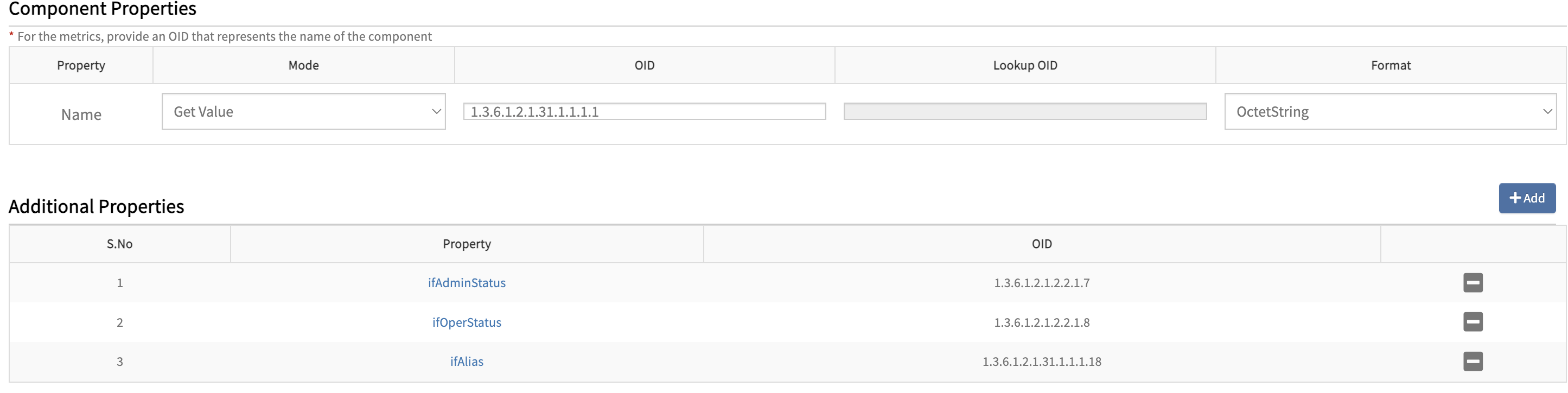
The following are the configurations steps.
- Select Manually select instances on the device in Data Collection Rules.
- While assigning the template, manually choose the required interfaces using details such as Name, Admin Status, Oper Status, and Alias.
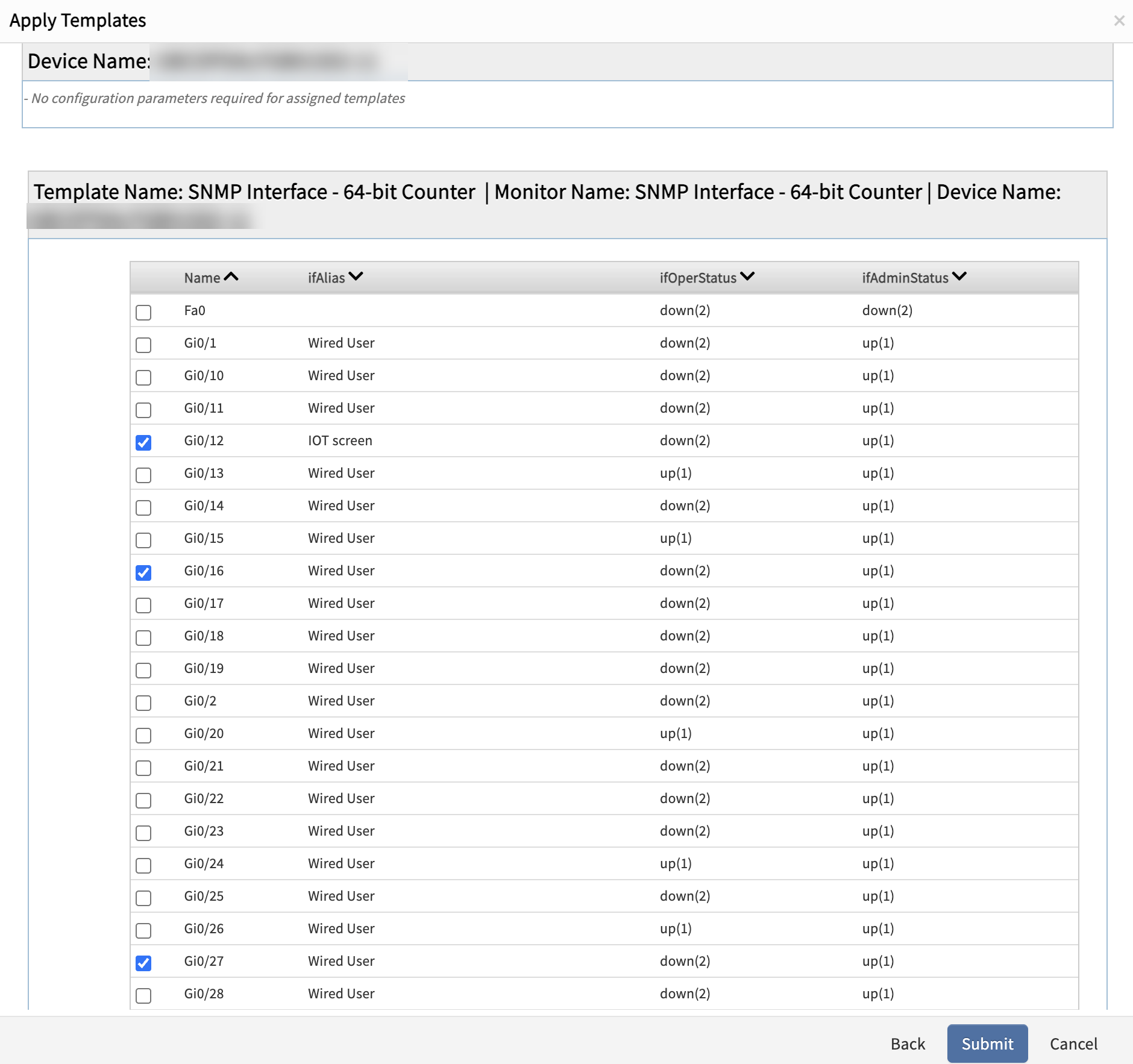
- Only the selected interfaces will be monitored, and all other interfaces will be excluded.
- After configuring the Data Collection Rules, click Save to save the monitor.